Three codes, three builds, and what each one lands you in
3536029907932046148 needs Bedrock 1.21.120 or later: nineteen digits, no minus sign, and you spawn on coastal plains where a village sits right next to a pillager outpost and mushroom fields are close in the east. 31563250179158 needs 1.21.70 or later and is the short one at fourteen digits, a plains and sunflower valley closed off by a steep cherry grove ring with a village in the sunflower plains to the south. 7408629636827897200 needs 26.10 or later: a plains clearing inside forest, with a meadow village nearby whose houses are partly buried in a deep cave.
| Seed | Build you need | What to type | What you land in |
|---|---|---|---|
3536029907932046148 | Bedrock 1.21.120 or later | 19 digits, no sign | Coastal plains, rivers, villages; one village beside a pillager outpost; mushroom fields east; cherry grove and ice spikes plateau in front |
31563250179158 | Bedrock 1.21.70 or later | 14 digits, no sign | Plains and sunflower valley with lakes, walled by a steep cherry grove ring; village in the sunflower plains south; taigas east |
7408629636827897200 | Bedrock 26.10 or later | 19 digits, no sign | Plains clearing inside forest, lonely plateaus around; meadow village close by with some houses buried in a deep cave |
- All three are Bedrock, so all three are console-legal. A Series X, a Series S and a current Xbox One all run the same edition, and the same digits go in the same box. Bedrock Console
- All three are on the starter seed list that the game ships with, which is rewritten with each update and is the closest thing to a promise that a description still matches the terrain. Current list
- None of them needs a coordinate. You spawn inside the described terrain, so the first minute is a look around rather than a walk. Spawn start
- No seed score is printed anywhere on this page, because the game publishes none and this site does not invent one. No scores
Coastal villages, an outpost to wall off, mushroom fields east — 3536029907932046148 Bedrock 1.21.120+ Village + outpost Best survival start
Valley inside a cherry grove ring, village to the south — 31563250179158 Bedrock 1.21.70+ Natural wall Best enclosed build
Meadow village with houses buried in a cave — 7408629636827897200 Bedrock 26.10+ Buried houses Best for a cave base
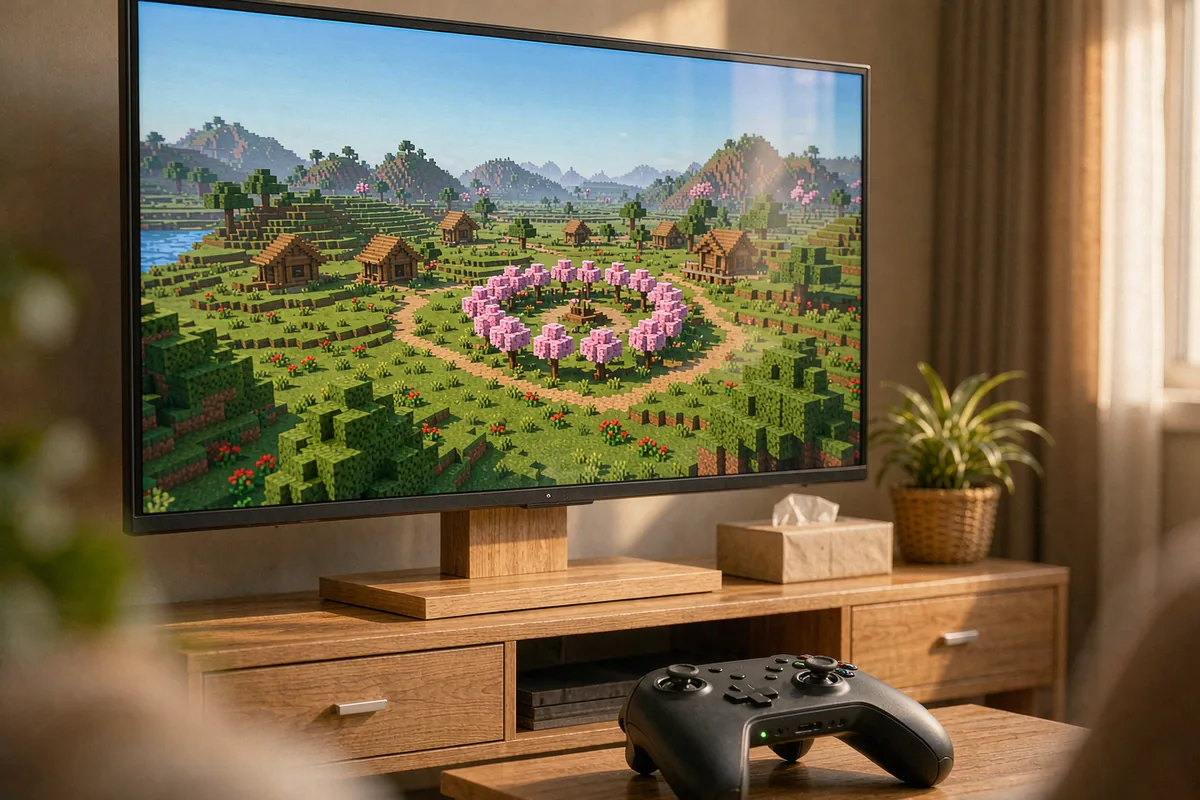
What "Xbox Minecraft" means now: three builds, three answers
The reason console seed lists go wrong is that "Xbox" covers three different games that read the same digits differently. Two of them are discontinued and one is current, and the difference is not cosmetic — it decides whether a Java list, a Bedrock list or no list at all is the right one for your machine.
| What you own | What it runs | What a seed code does |
|---|---|---|
| Xbox One or Series X|S, bought or updated after 2017 | Bedrock Edition, current | Takes the full 64-bit range since 1.18.30. Every code on this page belongs here. |
| Xbox One Edition, bought before September 20, 2017 | Legacy Console Edition, build by 4J Studios, discontinued | World capped at 5120×5120 blocks. Seeds still work, but terrain is the older generator, not Bedrock's. |
| Xbox 360, disc or a re-download | Legacy Console Edition, final version TU75 (Update Aquatic) | World capped at 864×864 blocks. Large worlds mostly match Java Edition 1.12.2 terrain; mushroom fields are placed by a different algorithm. |
Two dates explain the split. The Xbox One Edition was withdrawn from the Microsoft Store on September 20, 2017, alongside the Better Together update, and anyone who owned it was entitled to download Bedrock free of charge; you can still play the old edition instead if you kept it. The Xbox 360 Marketplace closed on July 29, 2024, so the 360 edition can no longer be bought digitally, though it can still be re-downloaded onto a console that owns it.
The practical consequence is short. If your console is a One or a Series machine on a current build, you are on Bedrock and a Bedrock list is the right list. If it is a 360 or the retired One Edition, the Java list from the 1.12 era is closer to your terrain than anything published for Bedrock this year, and the code you need is probably older than the code you were given. The Java vs Bedrock page covers the same split from the code side.
Count the digits before you blame the seed
Here is a check nobody prints with a seed list, and it takes ten seconds. A seed code on a console is a number typed into a box, and if the box ends holding fewer digits than the list shows, the world is not the world the list describes. The reason is a version line that is easy to miss: Bedrock only began creating worlds with 64-bit seeds in 1.18.30.
The eleven codes on the current starter list use six different lengths. Seven of them are nineteen digits, four carry a minus sign, and the shortest is fourteen characters. Nothing about a long code is suspicious — the whole 64-bit range from -9,223,372,036,854,775,808 to 9,223,372,036,854,775,807 is legal, and every code in the list fits inside it. What matters is whether the build you are on can store all of it.
| Characters to type | Codes on the current list | What it means on a console |
|---|---|---|
| 14 (no sign) | 1 code | The shortest code in the list. Still a 64-bit value, still needs a build that accepts one. |
| 16 to 18 (no sign) | 3 codes | Count them character by character; a dropped digit inside the number changes the world silently. |
| 19 (no sign) | 3 codes | The longest sign-free codes. One digit short is a different world, not a smaller one. |
| 20 (minus plus 19 digits) | 4 codes | The minus is part of the code. Drop it and you have a positive number, which is a different world. |
Two other changes can move terrain without warning, and both are older than the starter list. Version 1.18.0 was a terrain-breaking change to world generation. During its betas the world generation random number generator was replaced, and then the seeds were reshuffled again, so a world made on one 1.18.0 beta did not match the next. That is why an old code plus a new build is not a safe assumption in either direction, and why the three seeds above are all on the list the game currently ships rather than on a screenshot from 2019.
Where the digits go, and where to read them back
On a console there are two moments that matter: typing the code, and confirming what the game stored. The second one is the step almost every list skips.
Bedrock shows and copies the world seed on the Edit world screen, and shows it in the game settings for operators who are in the world. That is your verification point: create the world with the digits, back out to the world list, open Edit world, and compare the number against the code you typed, character by character. If the stored number is shorter, the build did not take the whole value, and no amount of re-typing will fix it.
The typing step has one trap of its own. When the game is opened for the first time it offers a quick world creation flow, and that flow does not default to a random seed at all — it is limited to a predefined set of starter seeds. Pressing More options, or creating any world once, leaves that flow for the regular menu. If you are following a code from a list, you want the regular flow: the quick screen is a different door into the same game.
| Step | What you are doing | What it catches |
|---|---|---|
| 1 | Read the build your console reports before you create anything | A code that needs a newer build than the one installed. |
| 2 | Create a new world through the regular flow, not the quick starter flow | A world opened from a curated list instead of from your code. |
| 3 | Type the digits exactly, minus sign included | The four negative codes on the current list, where a dropped sign is a different world. |
| 4 | Open Edit world and compare the stored seed | Digit loss on a build that cannot store 64-bit seeds. |
| 5 | Look for the named landmark before you build | A world that generated outside the version the description was written for. |
Five steps, about three minutes, and at the end you either have the world the list described or proof that you do not. The Bedrock checklist runs the same idea from the load side; this page runs it from the console side.
Seed one: coastal plains with a village, an outpost and mushroom fields
3536029907932046148 puts you on coastal plains cut by rivers, with villages across them and one village sitting right next to a pillager outpost. Mushroom fields are close in the east. North of you the biomes turn windswept, with a village among them; south and west are snowy taigas and snowy plains with a great deal of frozen river and plateau, or one extremely large windswept hills area. In front of that sits a cherry grove and an ice spikes plateau.
This is the survival pick of the three, and the reason is density rather than beauty. A village gives you beds, chests and villagers without a single block placed. A pillager outpost inside the same plain gives you a structure worth farming and a reason to build a wall. Mushroom fields give you a biome where hostile mobs do not spawn, which is the cheapest safe corridor on any seed. Three different kinds of safety inside one walk is unusual.
What to put where
| Ground | Build | Why here |
|---|---|---|
| Village, on the plains shelf | Base, storage, trading post | Houses already stand, and the villagers are the only renewable source of enchanted gear on day one. |
| Between village and outpost | Wall, gatehouse, watch platform | The outpost is close enough to matter. A wall between the two turns a raid source into a landmark you control. |
| Coastal river mouths | Docks, bridges, canal | Rivers already break the plain into sections. A bridge is a road and a boundary at the same time. |
| Cherry grove and ice spikes in front | Accent build, ice store | Cherry wood is a colour you cannot get from oak, and the ice spikes give you packed ice without crafting it. |
| Mushroom fields to the east | Night road, forward camp | No hostile spawns there, so a path across them is a route you can walk after dark without torches. |
| Snowy taiga and frozen rivers south and west | Spruce yard, ice road | Spruce is the dark wood the plains cannot give you, and a frozen river is a road that costs nothing. |
If you only do one thing here, wall the outpost side. Everything else on this seed can wait; raids cannot. The village seed page covers what a village is worth before you start extending it.
Seed two: a valley inside a cherry grove ring
31563250179158 is a plains and sunflower plains valley with some lakes, closed off by a steep cherry grove ring, and the ring holds another similar but smaller valley to the north. South of the cherry grove is a river valley with a village in the sunflower plains and a flower forest before the ocean beach. The rest of the surroundings are flatland or windswept biomes, with taigas to the east.
Read that description as a floor plan, because that is what it is. A steep ring around a valley leaves you a small number of natural entrances, which is the one thing a builder cannot make cheaply. The lakes inside the ring mean water without a walk. The village to the south means beds and trade one valley over. The flower forest before the beach means dye, and the taigas east mean spruce.
What to put where
| Ground | Build | Why here |
|---|---|---|
| The gap in the cherry grove ring | Gate, wall ends, guard post | A ring with one or two gaps is a fortress with the walls already built. You only pay for the door. |
| Valley floor beside a lake | Main town, farms, market | Flat, watered, and inside the wall. Farms next to water need no bucket runs. |
| The smaller valley to the north | Second settlement, orchard, quiet base | A separate valley inside the same ring is a district that is already separated from the noise. |
| Village in the sunflower plains, south | Trade outpost, road head | It is outside the ring, which makes it the natural place for the road to start. |
| Flower forest before the beach | Dye works, garden | Flowers are dye, and dye is the one material a builder runs out of without noticing. |
| Taigas to the east | Spruce yard, charcoal | Spruce gives dark timber and a fuel supply that does not eat your building wood. |
This is the seed to take if you want one project rather than a settlement: pick the gap, close it, and the rest of the build sits inside a boundary you did not have to dig. It is the same instinct as the enclosure idea on the mountain seed page, with a forest doing the work instead of a cliff.
Seed three: a meadow village with houses buried in a cave
7408629636827897200 is a plains clearing inside many forest biomes, with some lonely plateaus around it, and its notable feature is a nearby meadow village where some of the houses are buried in a deep cave. The version history files this one under 26.10 as a Creative starter seed, so it may not appear in the survival quick-create list; typing the digits opens the same world either way.
The buried houses are the whole reason to open it. A village that has grown into a cave gives you two levels of structure at once: houses in the open, and a cave mouth that already has a floor, a wall and a reason to be there. For a base that goes down instead of out, that is a starting point you would otherwise spend a day digging.
What to put where
| Ground | Build | Why here |
|---|---|---|
| The buried houses and their cave mouth | Cave base, stairwell, storage hall | The cave already has a floor and a village entrance. Build the stair inside it and the descent is free. |
| Plains clearing | Surface farms, animal pens | A clearing inside forest is flat ground with wood on every side. Keep it clear and farm it. |
| Meadow village, open houses | Beds, trade, villager hall | The unburied half of the village is your day-one shelter and your emerald supply. |
| Lonely plateaus around the clearing | Lookout, beacon site, windmill | Raised ground next to flat ground is the cheapest landmark you can build on this seed. |
| Forest ring | Timber yard, charcoal kiln | Wood on all sides means the clearing stays a clearing. Cut outward, not inward. |
The honest limit: the description names one meadow village and does not count its houses, and this page does not turn a description into a count. Walk it on day one and write down how many houses are buried; that number is the one you can plan a base around.
Codes with a printed expiry, and why they matter here
The starter list also keeps a retired section, and on the day this page was checked it held twenty-four codes. Only three of those twenty-four say which versions they were used in — everything else in that section is a number with a description and no window at all.
| Retired code | Versions it was used in | What the window tells you |
|---|---|---|
348722287802000751 | 1.21.70 to 1.21.120 | Both ends named. Any build outside that span is outside the description. |
-6574012378133862552 | 1.21.80 to 26.10 | Both ends named, and the end has already passed. |
-2032795982907864146 | up to 26.30 | Only an end is given. There is no start to check against. |
The note attached to that section is blunt: the descriptions and screenshots only apply to the versions when the seeds were used, and those seeds have a completely different appearance in current versions. A code survives; the terrain it was famous for does not. That is the single most useful thing a console player can know about seed lists, because a console updates itself and a screenshot never does.
It also explains the shape of this page. Every code above is on the current list, and each one carries the build it entered the game on, so the version question is answered before you type rather than after. The old codes page is the long version of the same argument for Java.
First day on a console start
The first ten minutes on a console are different from the first ten minutes on a computer in one way only: you cannot open a file, install a tool or check a map without leaving the game. So the order below is built to answer every question from inside the world.
| Step | What you are doing | Why it comes first |
|---|---|---|
| 1 | Confirm the stored seed on the Edit world screen | Everything after this assumes the world is the one you asked for. If the digits were cut, stop here. |
| 2 | Turn on the coordinate display and write down your spawn point | It is the only fixed reference you have on a console. Every later direction is measured from it. |
| 3 | Walk to the one landmark the description names | A village beside an outpost, or a village in the sunflower plains, either exists within sight or the build does not match. |
| 4 | Take the beds and chests before you take a single log | The chests cost nothing and are the only part a village guarantees. Wood is a walk. |
| 5 | Mark the site you will build on, then stop building for the day | Night one is for shelter and a map, not for a foundation. The site reads differently by daylight. |
If you are opening the world with other people, the host matters more than the seed: Shockbyte is a low-cost Minecraft host that is set up in minutes, and code LAUNCH takes 25 percent off the first month. If you sign up through that link I may receive a commission at no extra cost to you, and it does not change what you pay.
For a longer view of the same start, the after day 10 plan covers the stage where a village has been stripped and the next decision is a Nether trip rather than a wall.
Four checks before you commit a weekend
These are the checks that decide whether a code is worth your evening, and none of them needs a second screen.
| # | Check | Pass condition |
|---|---|---|
| 1 | Build versus the seed's version | Your console is on the build the seed entered the game on, or newer. |
| 2 | Digits stored versus digits typed | The Edit world screen shows the same number you entered, character for character. |
| 3 | Sign check | If the code starts with a minus, the stored seed starts with a minus. |
| 4 | Named landmark on day one | The structure the description leads with is visible from spawn, or within one short walk of it. |
Fail check two and the build is the problem. Fail check four and the version is the problem. Pass all four and you have a world that matches its description, which is a stronger guarantee than any list can give you on its own.
Frequently asked questions
Do Minecraft Xbox seeds work on an Xbox Series X or Series S?
Yes, because a Series X or Series S runs Bedrock Edition, the same edition as every code on this page. The only condition is your build: each seed above lists the version it entered the starter list in, and a world created on an older build does not have to match the description. Check the build first, then type the digits.
Can I use Java Edition seeds on an Xbox 360?
Not as written, because an Xbox 360 runs Legacy Console Edition, a discontinued build, not Java and not Bedrock. Its Large worlds come close: the final versions generate terrain mostly identical to Java Edition 1.12.2, with a different algorithm for mushroom field placement. So a Java list from the 1.12 era is closer to right on a 360 than any Bedrock list, and a current Java list is not close at all.
Why did a 19-digit code give me a different world?
Because Bedrock only learned to create worlds with 64-bit seeds in 1.18.30, and every 19-digit code on the current starter list sits in that range. Two other changes can also move a world: 1.18.0 changed terrain generation, and the world generation random number generator was replaced and then reshuffled during the 1.18.0 betas.
Where do I read the seed back after the world is created?
On the Edit world screen, which is where Bedrock shows and copies the seed, and in the game settings for operators. Type the digits, create the world, then open Edit world and compare what the game stored against what you typed. If the stored number is shorter than the code, the build dropped digits, and the world is not the one the list describes.
Which of these seeds is best for a survival start on a console?
3536029907932046148, because it puts villages, a pillager outpost and mushroom fields inside the same coastal plain. Villages give you beds, chests and trade on day one, mushroom fields are the one biome where hostile mobs do not spawn, and the outpost is close enough to farm and far enough to wall off. The other two are better for building than for the first ten minutes.
Are these three codes still in the game?
Yes. All three are on the current starter seed list, which held eleven codes when this page was checked in November 2026. The list has been rewritten three times, adding thirteen codes in 1.21.70, nine in 1.21.120 and six in 26.10, and it also keeps a retired section of twenty-four codes. Only three of those twenty-four say which versions they were used in, which is why a code without a version note is not a promise.